How to verify an e-Aadhaar PDF signature
An e-Aadhaar file from UIDAI is a PDF with a digital signature sealed inside it. The seal is made when the file is created. If the name, address, photo, or any other part changes afterwards, the seal no longer matches the file. That match is what you can check. It does not call UIDAI, and it does not prove that the person holding the phone is the person named in the PDF.
Looking at the card on screen is not enough. A rebuilt PDF can show the same photo and the same address. A password can open both a real file and a fake one. The signature is the part that is hard to copy, because it is tied to the exact bytes that were signed.
Start from the file UIDAI gave you
Download the PDF yourself from UIDAI's myAadhaar service. A file that arrived in a chat, an email forward, or a shared folder is only a copy of whatever the sender had. The sender may be honest. The file may still be the original. You cannot decide that by looking at the pages.
A plastic card, a photograph of a card, and a masked screenshot are pictures. Pictures do not carry this PDF signature. If you need the seal checked, use the PDF from the issuer, not a photo of the card.
A password only opens the file
Read the result in plain words
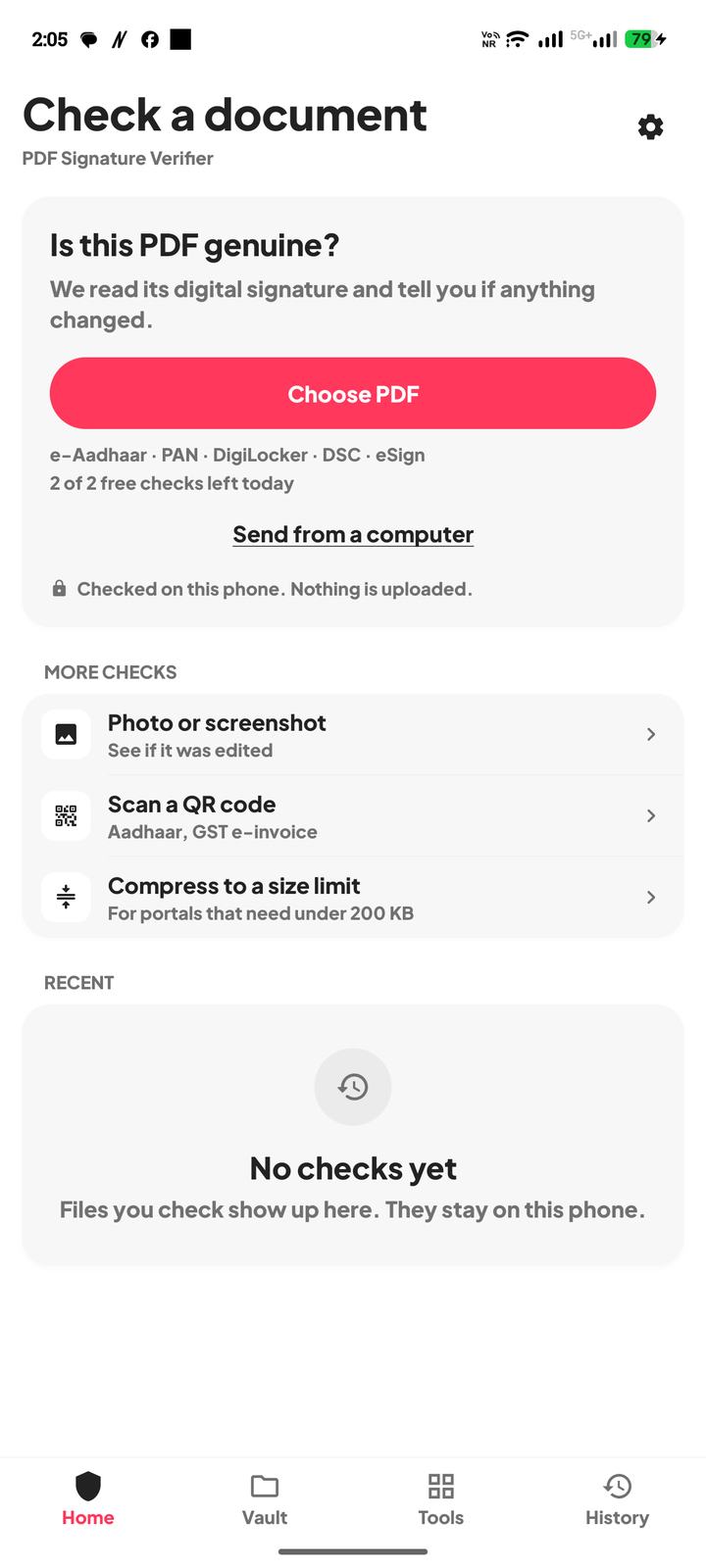
Install PDF Signature Verifier, tap Choose PDF, and pick the e-Aadhaar file. Type the password if the file asks for one. The app reads the signature on the phone. The PDF is not uploaded.
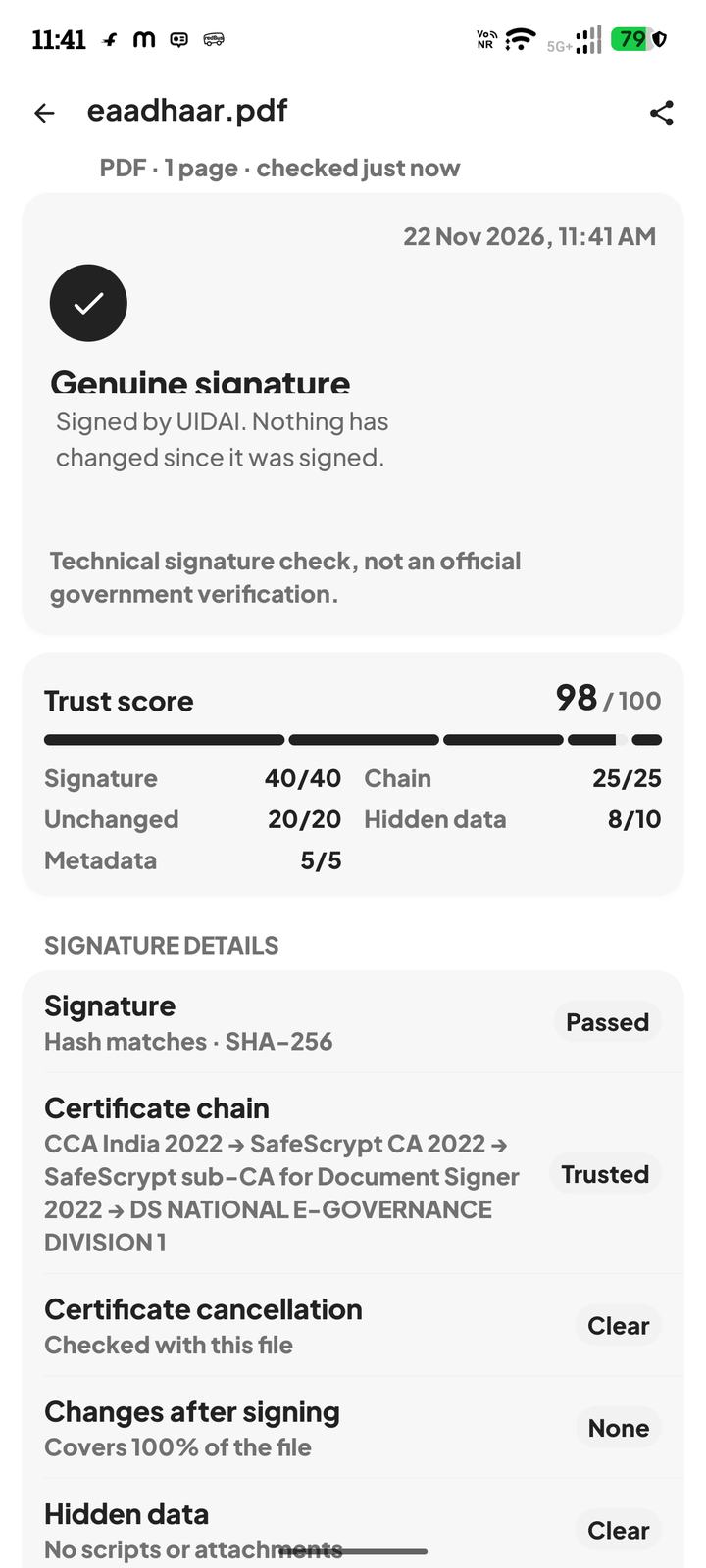
- 1Genuine signature means the seal matches the file and the certificate chains to a trusted certifying authority. The screen names the signer. Nothing has changed since it was signed.
- 2Changed after signing means the bytes no longer match the seal. Do not rely on that copy. Download a fresh file yourself and check that one.
- 3No digital signature found means this PDF was never sealed. A scan, a photo saved as PDF, or a print from a browser can look like an Aadhaar card and still have nothing to verify.
- 4Signed, but check one thing means the seal is intact and the file is unchanged, but the app could not confirm who issued the certificate. If the sender cannot say where the file came from, do not rely on it.
The result also says the certificate cancellation status when that status can be fetched. The check sends the certificate serial number and an issuer hash to the certifying authority's own address. It does not send the PDF. If the status cannot be fetched, that is not the same as a cancelled certificate. If the result says the certificate was cancelled, do not rely on the file.
What a genuine result does not do
A genuine signature means those bytes are the bytes the signer sealed. It does not mean UIDAI has confirmed the number today. It does not replace a process that a bank, a telecom company, or a government office is required to follow. It does not mean a lock icon in some other viewer was a real check. A lock icon only means that viewer saw a restriction or a signature panel.
Questions
Does the password prove the e-Aadhaar is genuine?
No. The password only opens the file. The signature check is separate. A forged PDF can have a password too.
The pages look right, but the app says the file changed. What should I do?
Do not treat that copy as the issuer's file. Download it again yourself, and check the new download before anyone compresses it or merges it with another PDF.
Can I check a photo of an Aadhaar card?
A photo has no PDF digital signature, so there is no seal to verify. Use the PDF from the issuer when you need a signature check.
Is this UIDAI verifying the number?
No. PDF Signature Verifier is an independent app. It checks the cryptographic signature inside the file. It is not an official government verification.