How to check if a PDF was edited
There are two different questions inside "was this PDF edited?" One of them can be proved. The other cannot. If the PDF was digitally signed, and the bytes no longer match the seal, the file was changed after signing. That is strong. If the PDF was never signed, nobody can prove from the file alone that it is the original, and nobody can prove it was edited. You can only collect clues, and clues are not proof.
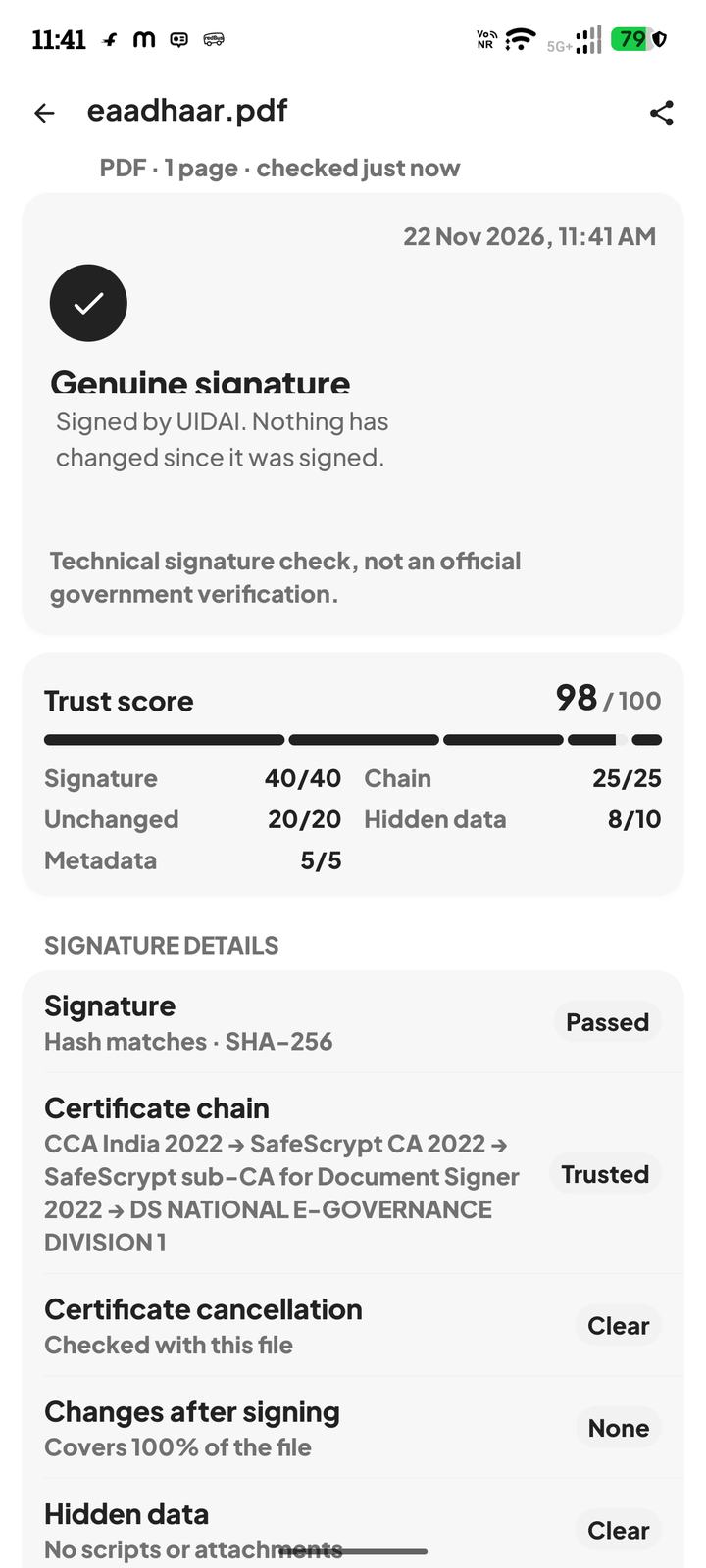
PDF Signature Verifier keeps those two checks apart. The signature result is the one to read first whenever the document is supposed to be an e-Aadhaar, an e-PAN, a DigiLocker issue, a marksheet, a contract, or anything else that should carry a seal.
If the file should have been signed
- 1Changed after signing means the sealed bytes and the file disagree. Treat it as edited after the signer finished. Ask the issuer for a new copy, or download it yourself.
- 2Genuine means this copy still matches the seal. Later visual edits would have broken that match. A genuine result does not mean a different file, with the same words, is also genuine.
- 3No digital signature means there is no seal to compare. A scan of a signed piece of paper is in this group. The ink signature on a scan is a picture. It is not a PDF digital signature.
- 4A cancelled certificate means do not rely on the file, even if the pages look untouched.
If there is no signature, read the clues as clues
The edit check on an unsigned PDF looks for signs that the file was saved more than once, and for names of tools that last saved it, such as a word processor, Acrobat, or a popular PDF website. Hidden attachments and scripts are reported when they are present. Those findings are clues. The app's own wording is that edit clues are not proof.
Changed numbers, a swapped photo, or a rewritten name on a scan leave no reliable cryptographic trail. Comparing the scan with a PDF you fetch yourself from the issuer is the practical check. The pixels will not settle it.
What to do with the answer
For a document that should be sealed, act on the signature result: rely on a genuine original, and do not rely on a changed or unsigned substitute. For everything else, say what you actually know. "The seal still matches" is a fact about this file. "It looks edited to me" is a judgement. "The app found no clues" is not a certificate of authenticity.
The check is technical. It is not an official government verification, and it is not a forensic laboratory report on an unsigned scan.
Questions
The app says the file changed after signing. Is that proof it was edited?
It is proof the bytes no longer match the digital signature. Something wrote the file after the signer sealed it. That includes a compressor or a merge, not only a forged number.
There is no signature and no clue. Is the PDF original?
No. Clues are not proof, and a missing clue is not proof either. An unsigned file can be a fresh export of an edited document.
A photo of a marksheet looks altered. Can the app confirm that?
The app can tell you the photo or PDF has no seal. It cannot prove who changed a picture. Fetch the issued PDF and check that.
Does sharing the PDF change it?
Some apps rebuild the file while sending it. If a genuine file comes back unsigned or changed, download a new copy from the issuer and check that one.